
Customer Messages adds a ticket system to OpenCart 3. Questions from customers come in from the account pages, the contact form and your support mailbox, and every conversation is kept as one ticket that you answer in the admin panel or by email.
How it works
- A customer writes to you: from My Account > Tickets, from the Contact Us form, or by email to the store address.
- The message becomes a ticket. Emails are taken from your mailbox by a cron job every few minutes (see Connecting the Mailbox and Setting Up Cron).
- The administrator assigned to the ticket gets an email and answers on the ticket page in the admin panel, or simply replies to that email.
- The customer gets your answer by email and can reply from the mail client or continue in the account. Replies are added to the same ticket.
- When the question is solved, you or the customer close the ticket. Any new message opens it again.
Key terms
| Term | Meaning |
|---|---|
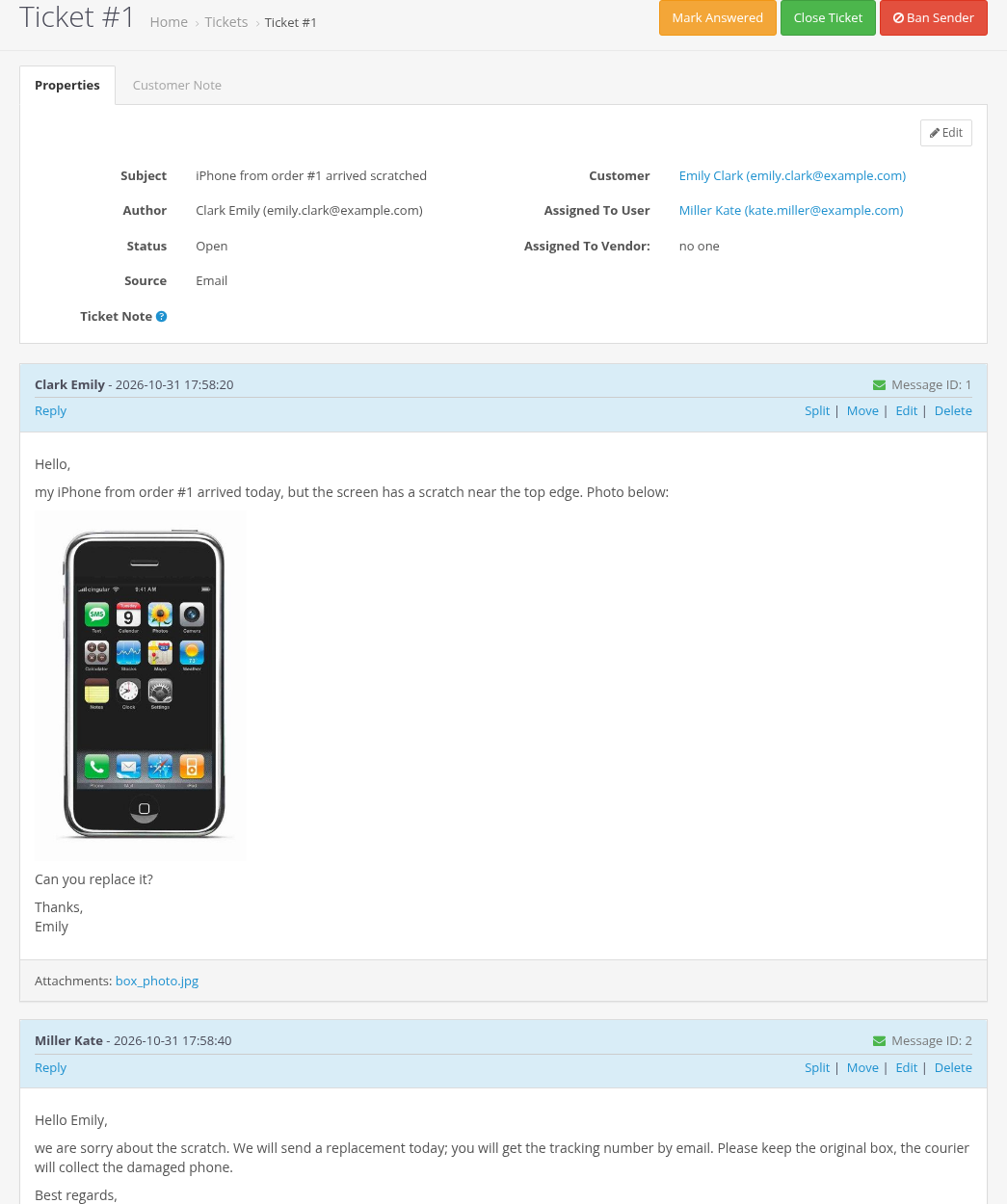
| Ticket | One conversation with a subject, a status and a list of messages. Tickets are numbered: #1, #2... |
| Message | One entry in a ticket: text with formatting, inline images and attached files. |
| Ticket customers | The customers who take part in the ticket and get its emails. The author is the first one; people in To and CC of an email are added too. |
| Assigned administrator | The admin user responsible for the ticket. Only this user gets admin emails about the ticket. New tickets get the Default Assigned User from the settings. |
| Status | Open or Closed. |
| Answered | A flag shown in the ticket list: set when an administrator replies, cleared by every new message from a customer. |
| Source | Where the ticket came from: Email, Form (contact form), Admin, Customer account, Vendor. |
| Email verification | A ticket is shown in the customer account only when the customer's email is confirmed. See Email Verification, Contact Form and Ticket Sources. |
| Ticket Note | A private note of administrators for one ticket. |
| Customer Note | A private note of administrators about the customer, shown on all tickets of this customer. |
Customer accounts are created automatically
The module links every message to a customer account. When an email comes from an address that has no account, a customer account is created for it, with the name from the email and a random password. The same happens for every address in To and CC of an email to your mailbox (except your store addresses and banned addresses). OpenCart sends its usual "Thank you for registering" email to such new accounts. The customer can set a password later with Forgotten Password, which also confirms the email.
If you get spam to the support mailbox, ban the sender (see Banned Emails): nothing is created for banned addresses.
Features
- Tickets in the customer account: list with filters, new ticket, reply, close; a Get Support button in the order history.
- The contact form creates a ticket instead of sending an email.
- Email in and out through one mailbox (IMAP for incoming mail, the OpenCart mail settings for outgoing mail). Replies are linked to their ticket automatically.
- Admin ticket list with filters, assignment to administrators, private notes, answered flag, deletion.
- Visual editor for messages, images inserted from files, the clipboard or by drag and drop, file attachments with limits.
- Editing, moving and splitting messages.
- Email delivery status for every message and recipient, automatic retry of failed emails, manual resend.
- Banned emails and masks.
- Email verification of customers (bundled Customer Email Verification extension).
- Multivendor integration: tickets assigned to vendors (bundled Messages For Multivendor extension, see Multivendor Integration).
- Admin and storefront texts in English, with a partial Russian translation; email templates in English and Russian.
Our separate extension Ticket Tasks adds tasks to tickets for your team.
Limitations
- One support mailbox per store installation.
- Email templates exist in English and Russian; customers with another storefront language get the English emails until you add templates for their language (see Email Notifications).
- Admin emails go only to the assigned administrator; there is no group notification.
- No auto-replies, ticket priorities or response time rules.
- The customer pages are made for the default theme; other themes may need small template changes.
Requirements are listed on Installation and Requirements.