
Customer Messages is free and needs no license key. Install it like any other Ka Extensions module, then connect your mailbox and set up cron.
Requirements
- OpenCart 3.0.0.0 - 3.0.5.x.
- Ka Extensions 4.1.1.28 or newer. It is a free library required by all our modules. With 4.1.1.30 or newer the images of a message are sent inside notification emails as real inline images; with older versions mail clients show them as attachments.
- PHP with the imap extension (reading the mailbox) and GD (processing of inserted images). PHP 8.4 does not include the imap extension any more; ask your hosting to enable it or use PHP 8.3 or older.
- A mailbox for support with IMAP access, used as the store email (see Connecting the Mailbox and Setting Up Cron).
- Working outgoing mail in OpenCart (System > Settings > Mail).
- A cron job that opens the module cron URL every 5 minutes.
What is in the package
The package contains three extensions:
| Extension | Purpose |
|---|---|
| Customer Email Verification | Customers confirm their email address. Messages uses it to decide which tickets a customer can see. |
| Messages | The ticket system. |
| Messages For Multivendor | Optional. Only for stores with our Multivendor extension. |
Installation
- Install the Ka Extensions library if your store does not have it yet (we recommend the latest version).
- Open Extensions > Installer and upload the Customer Messages archive.
- Open Extensions > Modifications and click Refresh.
- Open Extensions > Extensions, select Ka Extensions and click Install next to Customer Email Verification, then next to Messages. If you use Multivendor, install Messages For Multivendor after both Messages and Multivendor.
- Click Edit next to Messages and fill in the settings (see Settings).
- Open System > Settings, edit your store and fill in Admin E-Mail on the Store tab (see Settings).
- Add the cron job (see Connecting the Mailbox and Setting Up Cron).
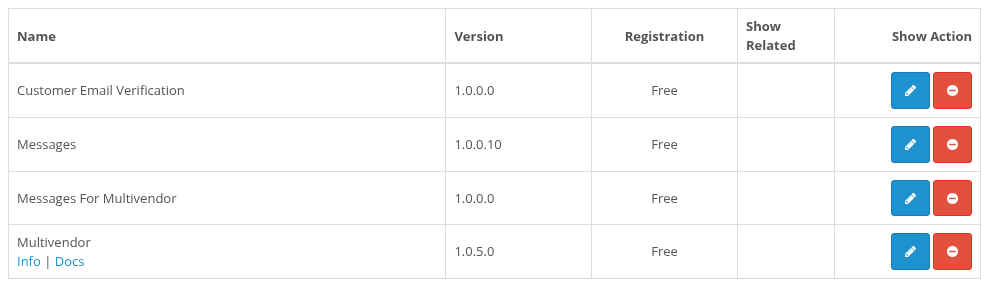
Ka Extensions list with the extensions of the package
If the menu items or pages do not appear, refresh the modification cache and the theme cache (see How to reset modification cache in Opencart 3).
What the installation adds
- Database tables for tickets, messages, ticket customers, attachments, email send statuses, banned emails and per-admin settings; a customer_note field in the customer table; email verification fields in the customer table.
- The file
system/config/ka_messages.phpwith a random secret key that signs the ids of outgoing emails. It is created once and kept on reinstall. Keep it in your backups: see Permissions and Security. - Admin menu items Customers > Tickets and Customers > Banned Emails, and access to the module pages for your user group.
- Changes of store pages:
- Tickets links in My Account and in the account menu;
- a Get Support button for every order in Order History;
- the Contact Us form creates a ticket instead of sending an email;
- Verification Status and Verify Email on the account edit page;
- an Admin E-Mail field in the store settings; OpenCart alerts about new orders, customer and affiliate registrations and new reviews are sent to it.
- A folder
ticket_attachmentsin the OpenCart storage folder for attached files and images.
Uninstalling
Uninstall next to Messages on the Ka Extensions page turns the module off. The tickets, messages, attached files, banned emails and the secret key file stay, so a later Install continues with the existing data.