
Multivendor turns an OpenCart 3 store into a marketplace: customers become vendors and sell their products in your catalog, buyers order from many vendors in one checkout. This documentation describes Multivendor 1.0.5.0, a free extension.
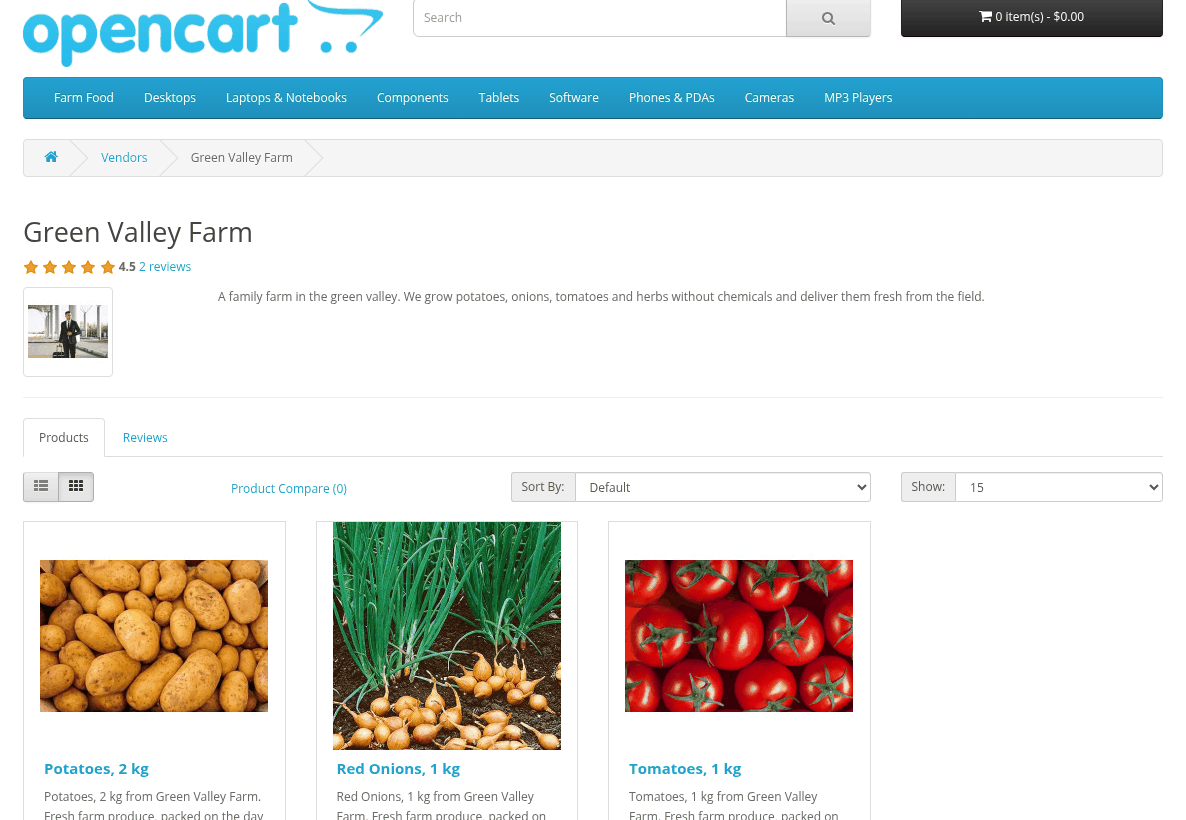
Storefront vendor page with logo, description, rating and the Products tab
How it works
- A visitor or a customer applies for a vendor account. You approve it, or vendors are enabled at once (see Vendor Registration and Approval).
- The vendor adds products in My Account > My Vendor Account > Products. Products are sent to you for approval (see Product Approval).
- Approved products are enabled and shown in your catalog together with your own products.
- A buyer puts products of several vendors into one cart, chooses shipping for each vendor and pays once.
- The order is one normal OpenCart order. For each vendor in it, the module adds a vendor order with the vendor's products, shipping and the store commission (see Orders and Vendor Orders).
- When the order gets one of the statuses of the OpenCart Complete Order Status setting, each vendor gets a customer transaction: the vendor order total minus the store commission (see Commissions, Vendor Balance and Payouts).
- You pay vendors outside the store and record the payout as a negative transaction.
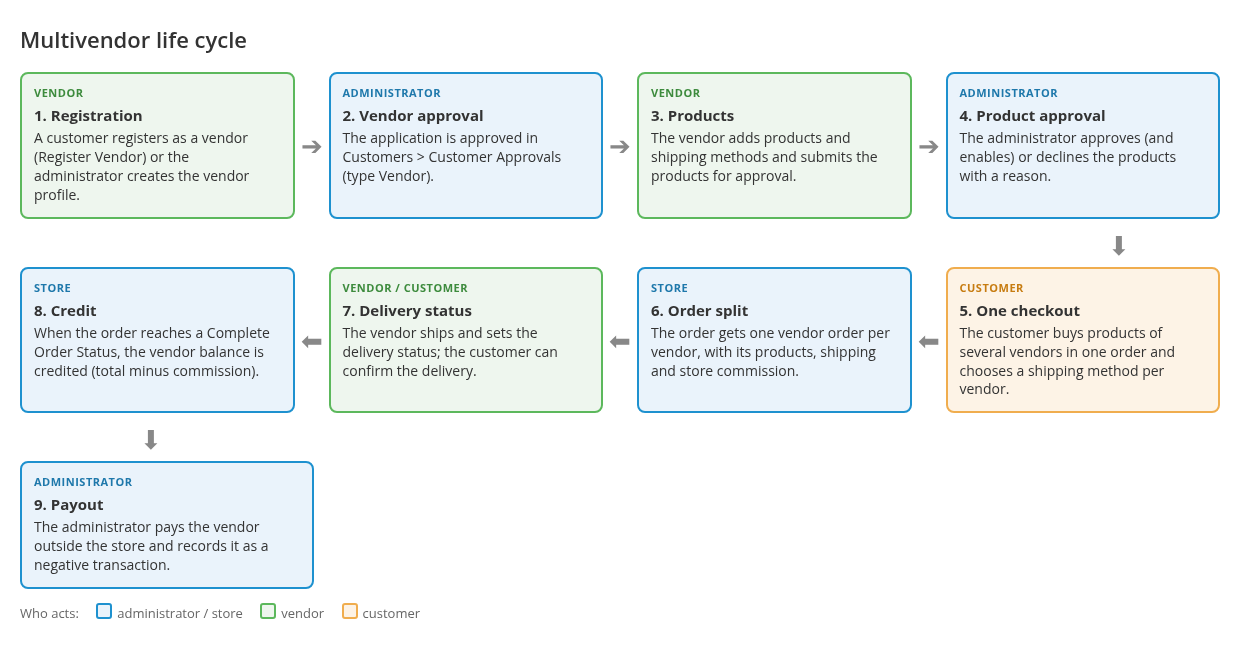
Life cycle diagram (drawn): registration -> approval -> products -> approval -> order split -> credit on Complete Order Status -> payout
Roles
- Administrator: sets up the module, approves vendors and products, manages orders, commissions and payouts in the admin area.
- Vendor: a customer account with a vendor profile. The vendor works in the storefront, in My Account: profile, products, shipping methods, sales and reviews. There is no admin access for vendors.
- Customer: buys products, sees the vendor of each product, rates vendors and confirms deliveries.
Key terms
| Term | Meaning |
|---|---|
| Vendor profile | Vendor data added to a customer account: status, product limit, store commission, API key, logo, public name and description. |
| Vendor status | Enabled or Disabled. Only enabled vendors can sell. Disabling a vendor disables all their products. |
| Product owner | The vendor of a product (the Vendor field in the admin product form). Products without a vendor ("No Vendor") are your own store products. |
| Approval status | Draft, Waiting for approval, Approved. A declined product is a draft with a decline reason ("Declined"). In the admin product list drafts and declined products are "Not Approved". |
| Main order and vendor order | The main order is the usual OpenCart order. A vendor order is the part of it that belongs to one vendor. Store products stay in the main order only. |
| Delivery status | The status of one vendor order, separate from the main order status. It is optional and does not move money. |
| Store commission | The percentage you keep from a vendor order. |
| Vendor balance | The OpenCart customer transactions of the vendor account. |
Features
- Vendor registration from the storefront, with or without approval, and extra vendor fields.
- Vendor area in My Account: public profile, products, sales, shipping methods, review replies.
- Product approval with Approve and Decline buttons, a decline reason and a waiting counter.
- Categories open for vendors and attribute groups offered for each category.
- One checkout for several vendors, shipping chosen per vendor.
- Store commission per vendor, automatic vendor credits on complete order statuses.
- Vendor list, vendor pages, vendor reviews and ratings.
- Product API for vendors: get, add, update and delete products by MPN.
- Other modules can extend Multivendor. For example, the Licenses module adds its own tab to the vendor product form.
Limitations
- A vendor product has one category and one special price (for the default customer group). Options, discounts and other product data are not in the vendor form.
- Money is not split at payment. The buyer pays the store; you pay vendors yourself.
- Payouts are manual (see Paying vendors).
- Taxes, coupons, vouchers and reward points of the order are not split per vendor.
- The storefront templates are made for the default theme. Other themes may need adjustment (see Theme notes).
Requirements
OpenCart 3.0.0.0-3.0.5.x and Ka Extensions 4.1.1.29 or newer. Custom Shipping Methods (vendor shipping rates) and Customer Messages (vendor tickets) are optional. See Installation and Requirements.