
A group save is a normal save of the product form with checked fields. This page explains what happens when you click Save.
The field checkboxes
When the group is not empty and you open an existing product (Catalog > Products > Edit), the module adds small checkboxes to the product form:
- next to the labels of single fields (Product Name, Model, Price, Categories and so on);
- at the start of every row of the tables (attributes, discounts, specials, images, reward points, recurring profiles, layouts), also for rows that you add in the form;
- on the Option tab: Replace All Options at the top and two checkboxes for every option (see Copying, Replacing and Deleting Options).
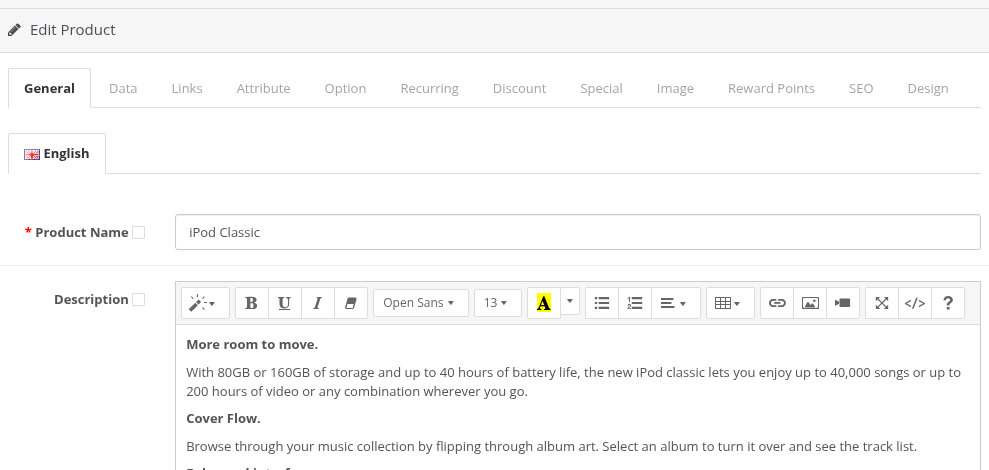
A checked checkbox means "copy this value of the form to all group products". The checkboxes are not checked when the form opens, and the module does not remember them between saves.
Every tab has its own rules, for example a discount row is added to the group products, while a list of categories replaces their categories. See Fields by Tab.
What happens on Save
- OpenCart checks the form as usual (for example, the product name and the model must be filled in). If there is an error, nothing is saved: neither the edited product nor the group products. The form shows the error. Check the checkboxes again before the next save: the field checkboxes are restored, but some row checkboxes (for example, of discounts and specials) are not.
- The edited product is saved from the form, like without the module.
- The module takes the group products one by one. For every product it loads its current data, replaces the checked values with the values of the form and saves the product with the standard OpenCart function. Fields that are not checked keep the values of the group product.
- The product list opens with the message Success: You have modified products! If options were deleted, the message also says from how many products (see Messages, Confirmations and Safety).
The group products are saved by the same OpenCart function as the product form, so the events and modifications of other modules that react to a product save run for every group product too. SEO URLs of the group products are kept.
The edited product and the group
The edited product is the source of the data. It does not need to be in the group:
- In the group. It is saved once, from the form. The other group products get the checked fields.
- Not in the group. It is saved from the form like a normal product, and all group products get the checked fields. For example, you can keep a "template" product outside the group and copy its data to the group.
In both cases the action applies to the edited product and to all group products. In particular, Delete this option from the products deletes the option from the edited product too, and the product is counted once (see Options).
Unchecked fields and changes
If you change a field but do not check it, the change is saved only in the edited product. If you check a field but do not change it, its current value of the edited product is copied to the group products. Look at the checkboxes before you click Save.
Fast and full saving
How the module loads the data of a group product depends on the setting Enable faster group editing (see Installation, Settings and Upgrading):
| Mode | How a group product is loaded | When to use |
|---|---|---|
| Off (default) | Through the product form, like an administrator who opens the product. Fields that other modules add to the form are loaded and saved back. | Recommended. Slower on big groups. |
| On | From the Copy product function of OpenCart. | Faster. Use it only if the fields of your other modules survive a group save (test it on two products). |
The result for the standard OpenCart fields is the same in both modes.
New product form
The group checkboxes are shown only in the form of an existing product (Edit). The form of a new product (Add New) has no field checkboxes, no Replace All Options and no option checkboxes, even when the group is not empty.
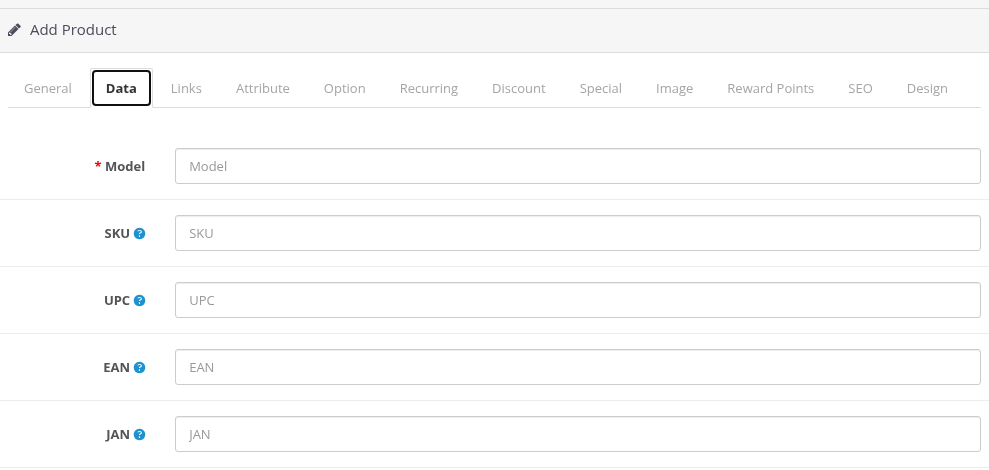
Saving a new product does not change the group products. To copy data of a new product to a group, save the new product first, then open it with Edit, check the fields and save again.