
This page lists the checkboxes of every tab of the product form and what exactly is copied to the group products. There are two kinds of fields:
- Single fields and lists. The value of the edited product replaces the value of every group product.
- Table rows (attributes, discounts, specials, images and others). Every row has its own checkbox. A checked row is added to the group products or updates a matching row; other rows of the group products are kept.
General
The General tab has a checkbox next to every field of every language:
| Field | What is copied |
|---|---|
| Product Name, Description, Meta Tag Title, Meta Tag Description, Meta Tag Keywords, Product Tags | The value of this language replaces the value of the same language in every group product. |
The checkboxes work per language. If you check Description on the English tab, only the English description is copied; the descriptions in other languages stay as they were. To copy the description in two languages, check it on both language tabs.
If a group product has no description in a language at all (for example, the language was added to the store later and the product was never saved in it), this language is skipped for this product. The module does not create a description that would have only the checked fields and an empty name.
Data
Every field of the Data tab has a checkbox next to its label: Model, SKU, UPC, EAN, JAN, ISBN, MPN, Location, Price, Tax Class, Quantity, Minimum Quantity, Subtract Stock, Out Of Stock Status, Requires Shipping, Date Available, Dimensions (L x W x H), Length Class, Weight, Weight Class, Status and Sort Order.
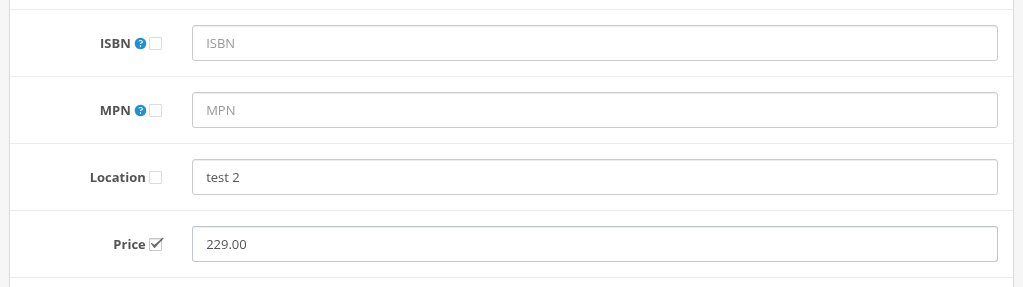
The value of the edited product replaces the value of every group product. Notes:
- Dimensions copies all three values: length, width and height.
- Model is copied as is. OpenCart does not require unique models, but your other modules (import, feeds) might.
- Quantity sets the same stock in all products. It does not add to their stock.
Links
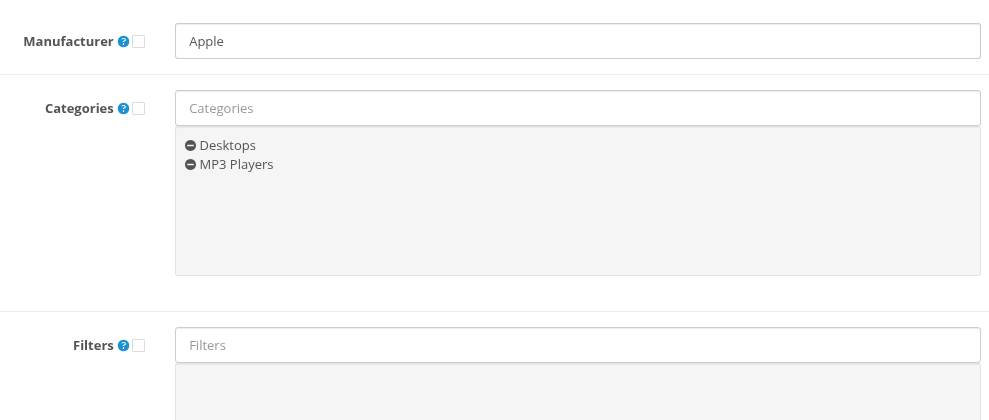
| Field | What is copied |
|---|---|
| Manufacturer | The manufacturer of the edited product (or "none" if the field is empty). |
| Categories | The full list of categories. The group products get exactly these categories, their other categories are removed. To add or remove one category and keep the others, use the Group actions of the product list. |
| Filters | The full list of filters. |
| Stores | The full list of stores. |
| Downloads | The full list of downloads. |
| Related Products | The full list of related products. |
If the list in the edited product is empty and the checkbox is checked, the list becomes empty in all group products.
Attribute
Every attribute row has a checkbox. A checked attribute is copied with its text in all languages:
- if a group product already has this attribute, its text is replaced;
- otherwise the attribute is added.
Other attributes of the group products stay.
Option
The Option tab has its own page: Copying, Replacing and Deleting Options.
Recurring
Every row of recurring profiles has a checkbox. A checked profile is added to the group products that do not have the same profile for the same customer group yet. Existing profiles of the group products stay.
Discount

Every discount row has a checkbox. A checked discount is added to every group product that does not have exactly the same discount (same customer group, quantity, priority, price, start and end date). Other discounts of the group products stay.
So if you change the price of an existing discount and copy it, the group products get a second discount with the new price next to the old one. The module does not delete discounts of the group products: remove old discounts in the products themselves.
Special

Every special row has a checkbox. For a checked special the module looks for a special of the group product with the same customer group, start date and end date:
- if it is found, its price is replaced by the new price;
- otherwise the special is added.
Other specials of the group products stay. This makes it easy to change the sale price of a group: open a product, change the price of the special and copy it.
Image
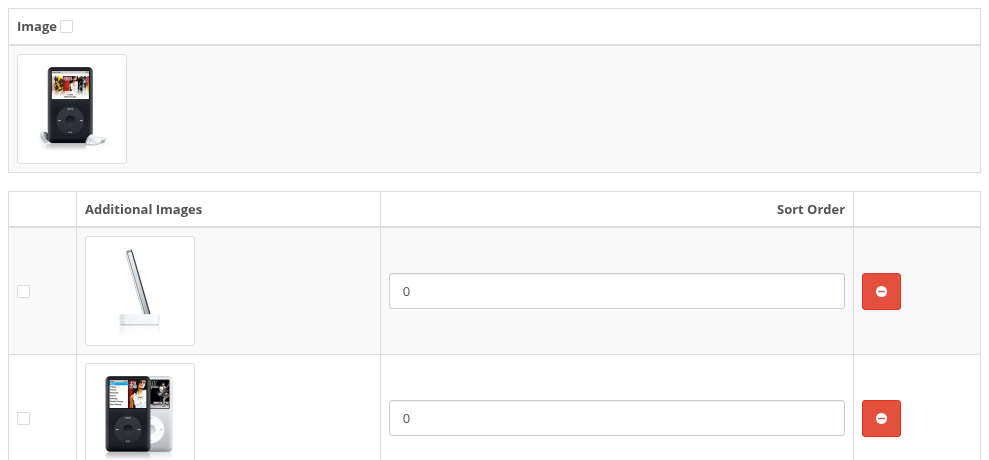
| Field | What is copied |
|---|---|
| Image (the main image) | Replaces the main image of every group product. |
| Additional image rows | A checked image is added to every group product that does not have the same image file yet, with its sort order. Other images stay. |
Reward Points

| Field | What is copied |
|---|---|
| Points | The number of reward points needed to buy the product. |
| Reward points of a customer group | The points of this customer group are set in every group product, also in products that had no reward points before. |
SEO
The SEO tab has no checkboxes. SEO keywords must be unique, so they are never copied. The SEO URLs of the group products are kept on a group save.
Design

Every store row has a checkbox. A checked row sets the Layout Override of this store in every group product.
Fields of other modules
Other modules can add their own fields to the product form:
- A single field with a label (one value per product) gets a checkbox like the OpenCart fields. It is copied if the other module saves this field together with the product.
- Lists and tables of other modules get checkboxes only if Product Group Editing supports them. Supported out of the box: the shipping methods of the Product Shipping Methods module, the option images of Product Option Images (copied with the options) and the paid group flag of Paid Customer Groups.
Fields of other modules that are not checked should stay intact in the group products. Test it once on two products, see Compatibility with Other Modules.