
Product Group Editing is installed like other modules based on the Ka Extensions library. You need two archives:
- the module archive, for example
ka_group_editing_ver2.0.2.5.ocmod.zip; - the free Ka Extensions library 4.1.1.30 or newer. If your store already has Ka Extensions, check its version and update it if it is older.
Installation
- Log in to the admin panel and open Extensions > Installer.
- Upload the Ka Extensions archive (if you do not have it yet), then the Product Group Editing archive.
- Open Extensions > Modifications and click Refresh. If the changes do not show up later, also clear the theme cache on the dashboard (gear icon at the top right). See How to reset modification cache in Opencart 3.
- Open Extensions > Extensions and choose Ka Extensions in the type list.
- Register Product Group Editing with the license key sent to your email. See How to obtain license key.
- Click Install (the green plus button) next to the module.
The installation creates the table oc_ka_product_groups for the groups and gives the user group of your administrator the permissions for the module pages.
If the Installer cannot upload the files on your hosting, see How to Install a Zipped OCMOD Extension Manually.
Settings
Click Edit next to the module on the Ka Extensions page. The module has one setting.
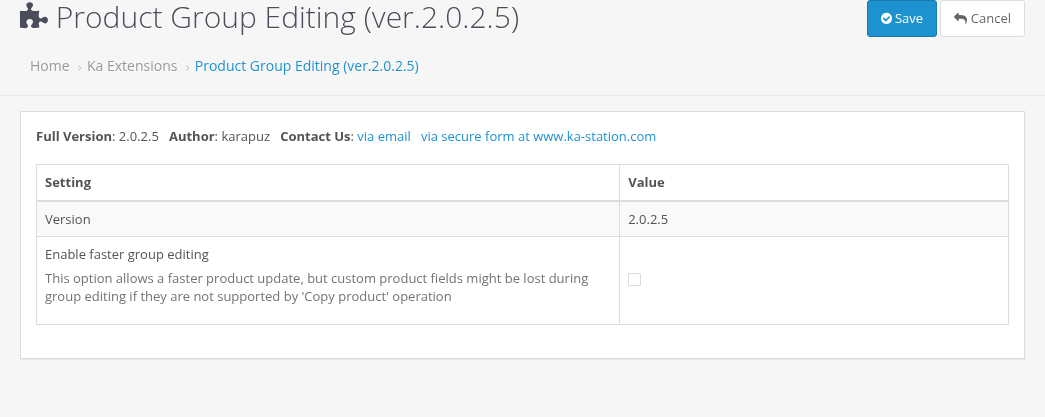
| Setting | Description |
|---|---|
| Enable faster group editing | Off by default. When it is off, the module loads every group product through the product form before it saves the product, like you would open and save it by hand. Fields that other modules add to the product form are loaded too and saved back. When it is on, the module takes the data of a group product from the Copy product function of OpenCart, which is faster. Fields of other modules that are not returned by Copy product might be lost then. Turn it on only if group saving is too slow and you have checked that the fields of your other modules stay intact (see Compatibility with Other Modules). |
Click Save to store the setting.
Where the module works
The module does not add new menu items. It works on two pages that you already know:
- Catalog > Products (the product list): group buttons, the Group Products filter and the Group Actions panel.
- The product form (Catalog > Products > Edit): field checkboxes and option checkboxes. They are shown only when the group is not empty and only for an existing product (see Saving Changes to the Group).
Upgrading
- Make a backup of the store files and the database.
- Upload the new archive of the module at Extensions > Installer, together with the latest Ka Extensions.
- Open Extensions > Modifications and click Refresh.
- Open Extensions > Extensions > Ka Extensions. If Product Group Editing shows a Refresh button, click it.
Your settings are kept. Groups are temporary data and do not need to be kept between versions. Version 2.0.2.5 needs Ka Extensions 4.1.1.30 or newer, so update the library first if it is older. See Version History for the changes.
Uninstalling
Click Uninstall (the red minus button) next to the module on the Ka Extensions page. The module setting is deleted. The products are not changed: everything that was saved to them stays.