How buyers order from several vendors at once, choose shipping per vendor and confirm delivery in their account.
Cart grouped by vendor
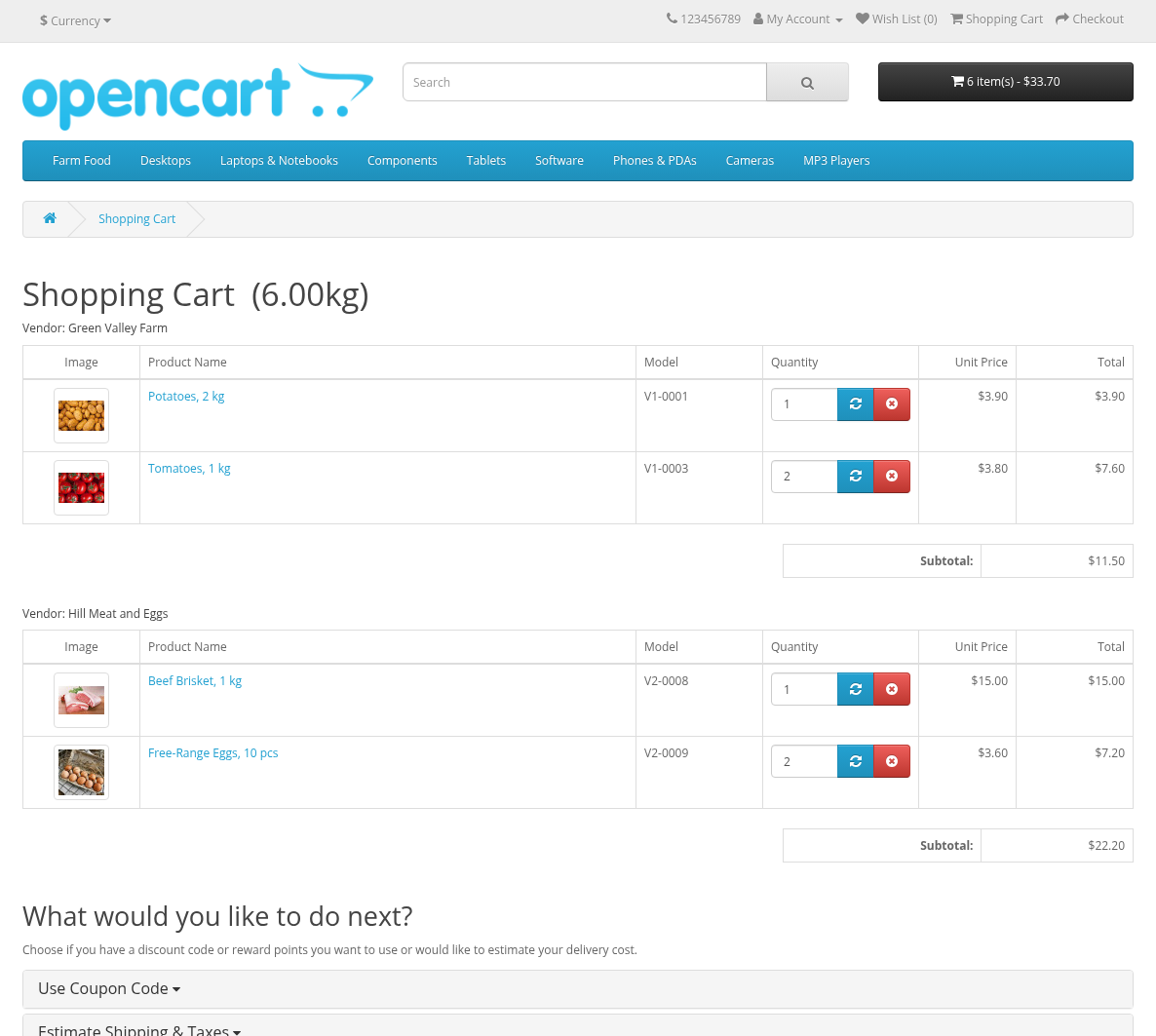
The cart page shows the products grouped by vendor, with "Vendor: name" above each group. The store's own products form a separate group titled with the store name. Quantities, removal and coupons work as usual.
The shipping estimate of the cart (Estimate Shipping & Taxes) shows the methods for each vendor separately.
Checkout with shipping per vendor
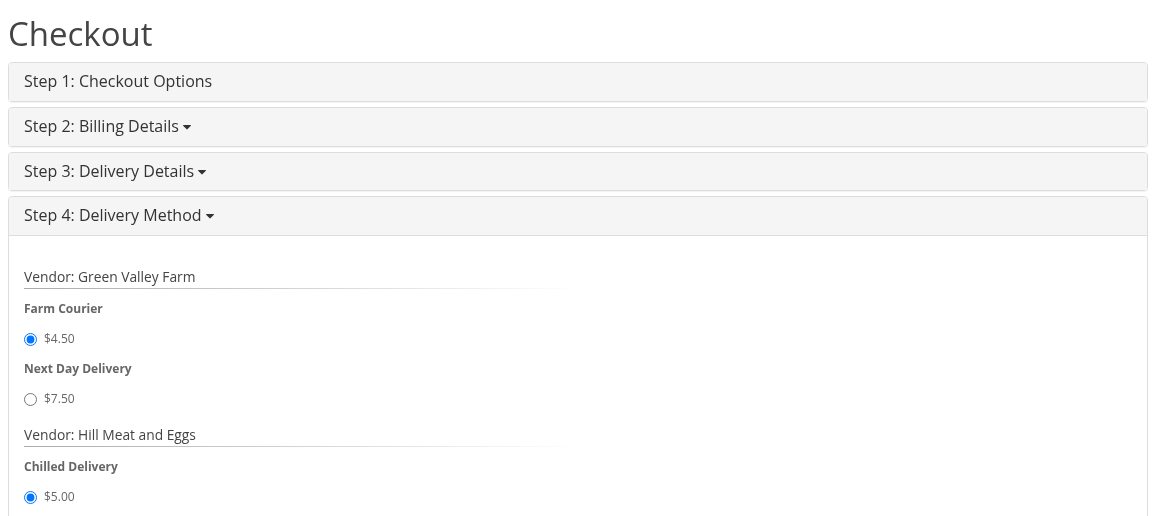
The checkout is the usual OpenCart checkout. In the shipping method step the buyer sees one list of methods for each vendor and chooses one method in each list:
- "Not required" is shown for a vendor whose products need no shipping;
- "No shipping methods" is shown when no method is available for the address; the checkout cannot continue ("Warning: Shipping method required!");
- the first available method is preselected.
The order totals have one Total shipping line with the sum of all chosen methods. The buyer pays once for the whole order.
See Shipping per Vendor for how the methods are calculated.
Order emails
The buyer gets the usual OpenCart order email for the whole order. Later the buyer may get "Order update #N" emails when a vendor or the store changes the delivery status of a vendor order.
Order page in My Account
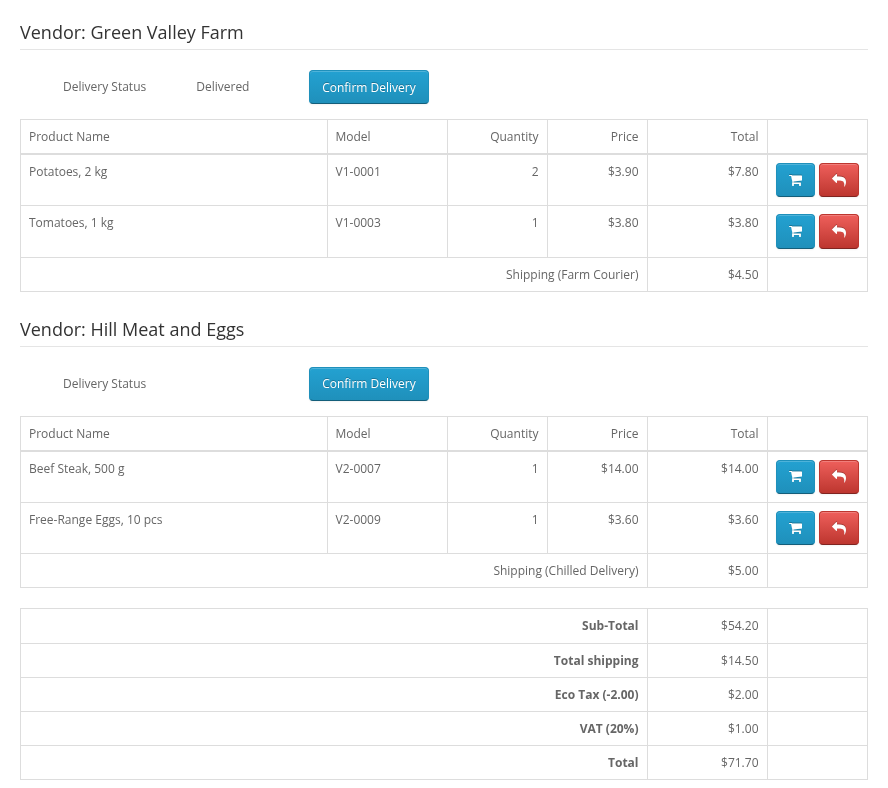
My Account > Order History > View shows a block for each vendor of the order: "Vendor: name", the vendor's products, "Shipping (method name)" with its cost, and the Delivery Status of this vendor order. Store products are shown below under a heading with the store name, followed by the order totals.
When the store hides delivery statuses, the blocks have no delivery status.
Confirm Delivery
When the store asks for delivery confirmation, each vendor order with shipping has the Confirm Delivery button next to its delivery status. The buyer clicks it after receiving the parcel:
- the delivery status changes to the store's 'Delivery Confirmed' status with the comment "Confirmed by the customer";
- the button disappears; a second confirmation is refused: "The delivery is already confirmed".
Confirming the delivery does not pay the vendor; vendors are paid by the order status (see Commissions).