
Customers rate vendors, the administrator moderates reviews and vendors reply. This page explains who can write a review, how reviews are moderated and how the vendor rating is calculated.
Vendor reviews use the OpenCart review setting: they work only when reviews are allowed in System > Settings > Edit store > Option (Allow Reviews).
Who can write a review
- Any logged-in customer can review an active vendor on the vendor page. A purchase from the vendor is not required.
- A vendor cannot review his own profile: "You cannot review your own vendor profile!".
- Guests see "Please login or register to review".
- A review has a name (3-25 characters), a text (25-1000 characters, HTML tags are removed) and a rating of 1-5. The captcha is shown if it is enabled for reviews in the store settings.
- A new review is Pending: "Thank you for your review. It has been submitted to the webmaster for approval." While it is pending, the customer sees "Your review is waiting for moderation. You can still change it." Sending the form again changes this review instead of adding a new one.
Moderation
Open Catalog > Vendor Reviews.
- Filters: Vendor, Author, Status, Date From, Date To.
- Statuses: Pending, Approved, Rejected. Older reviews replaced by a newer one are marked Obsolete.
- Approve (top button) approves the selected reviews. Delete deletes them.
- The edit button opens the review form: Vendor, Date Added, Author, Rating, Text, Status and Vendor Reply.
"Only approved reviews are published and counted in the vendor rating." The vendor reply "is published without moderation. The administrator can edit or remove it here."
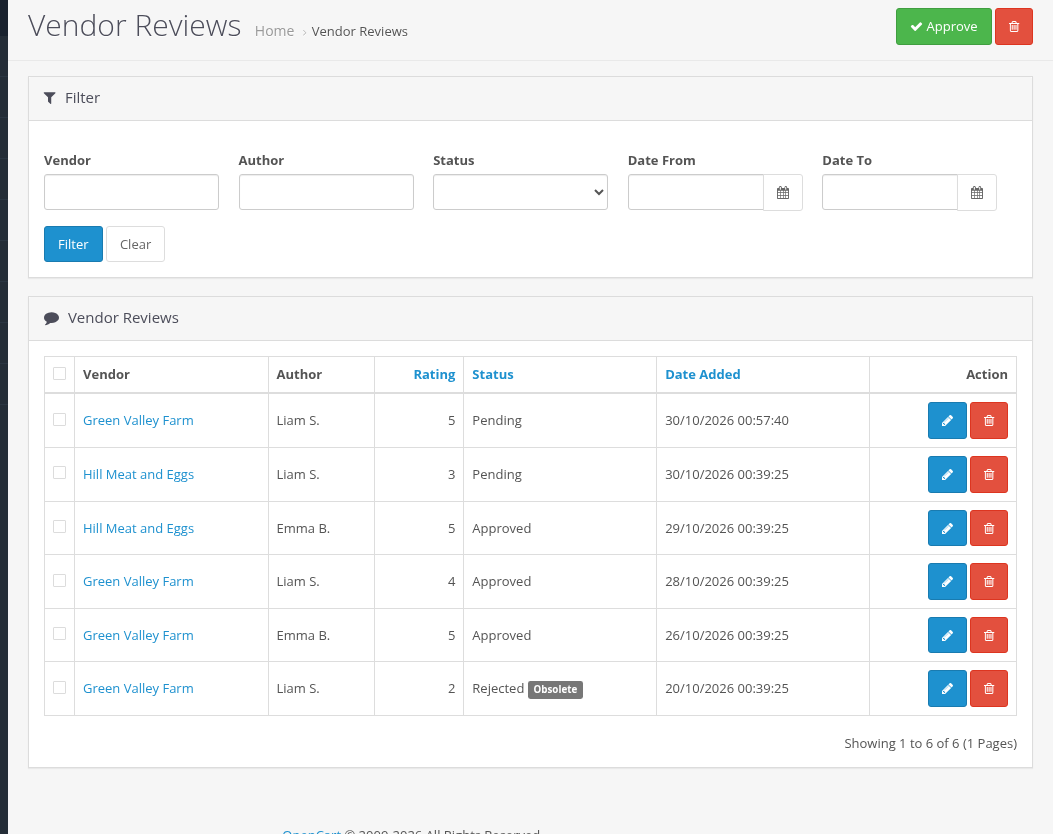
Admin Catalog > Vendor Reviews list with filters and statuses
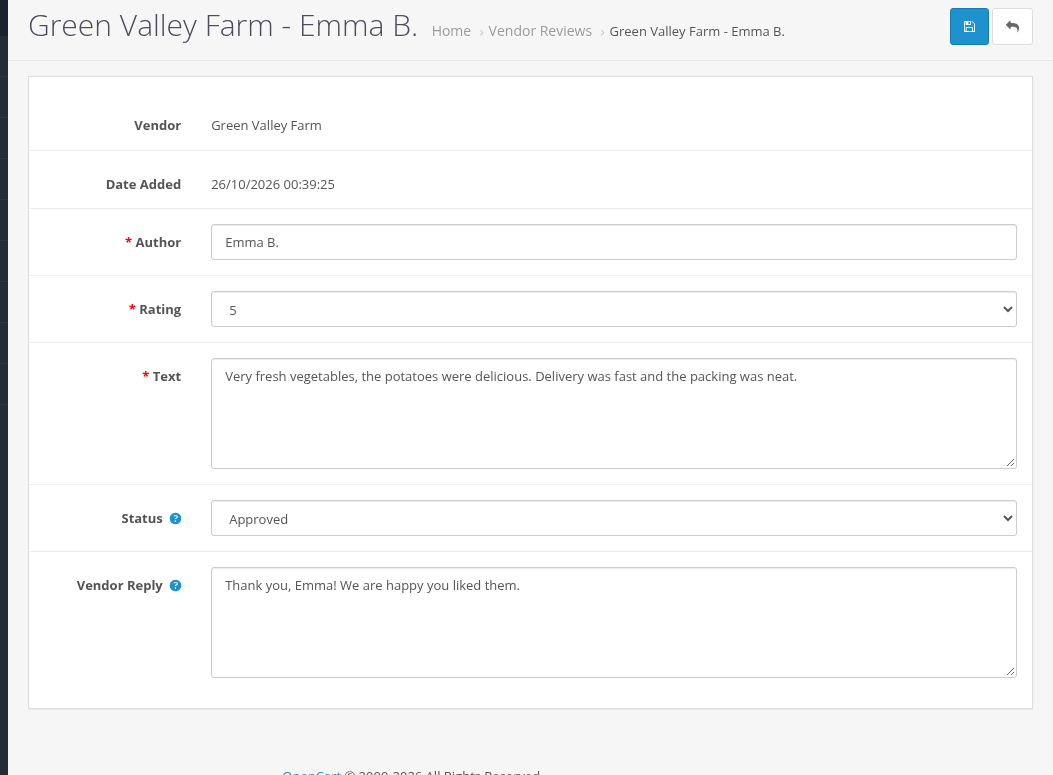
Admin Vendor Review form with the Vendor Reply field
Obsolete reviews and the rating
- A customer has one current review per vendor. When a newer review of the same customer for the vendor is approved, the older ones become obsolete. Obsolete reviews are not counted.
- The vendor rating is the average of approved, not obsolete reviews posted within the Vendor rating period (months) of the settings (0 = all reviews).
- The rating and the number of reviews are shown on the vendor page and next to the vendor name on product pages.
Emails
| Sent to | When | |
|---|---|---|
| A new vendor review | the store email and the additional alert emails of the store | a customer adds a review |
| A new review of your vendor profile was published | the vendor | you approve a review |
When reviews are hidden
- With Allow Reviews off in the store settings, the Reviews tab of the vendor page, the vendor rating and the vendor's Reviews menu item are hidden.
- Pending and rejected reviews are not shown in the storefront.