
This page is written for your customers. You do not need an account to ask a question: write an email or use the contact form.
Writing an email
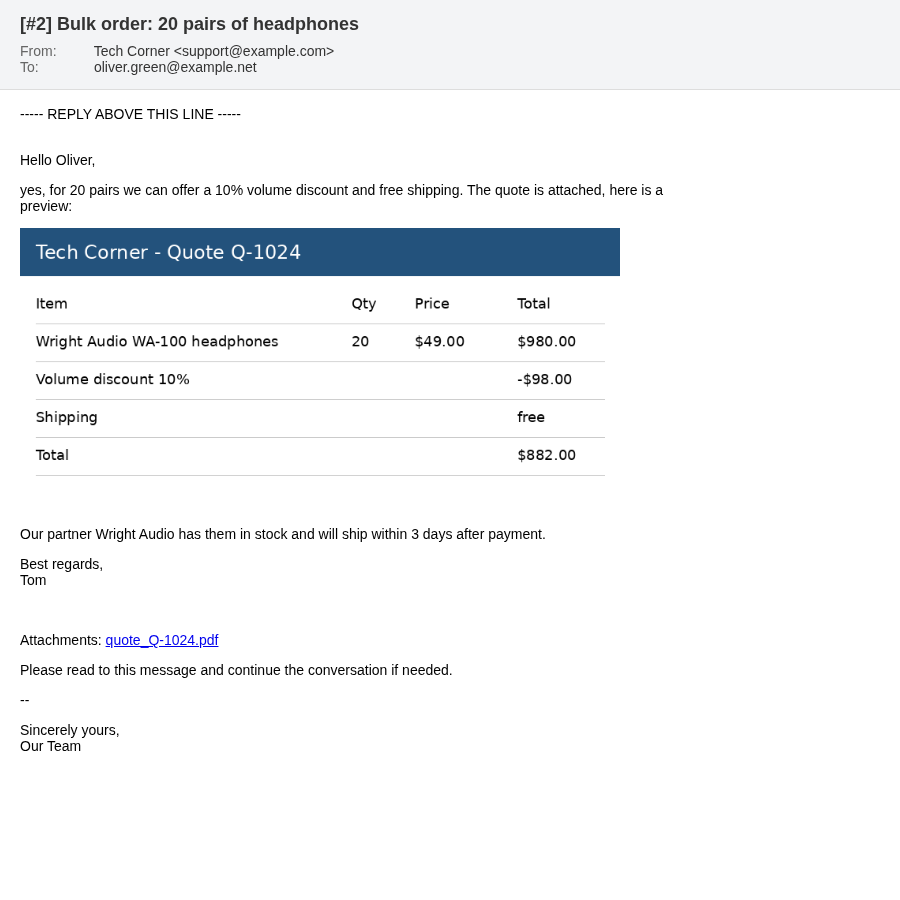
Send an email to the support address of the store. Your email becomes a support ticket, and you get a reply with the ticket number in the subject, for example [#5] Question about my order.
- Use a clear subject: it becomes the title of your question.
- You can add pictures into the text and attach files.
- Everybody you put in To or CC takes part in the conversation and gets the answers too.
- An account in the store is created for your email address if you do not have one yet. You get the usual welcome email of the store. To use the account, set a password with Forgotten Password on the login page.
Replying
Simply reply to any email about your ticket. Your reply is added to the same ticket, even if you change the subject.
- Write above the line
----- REPLY ABOVE THIS LINE -----. The text below this line is cut off. - You can also reply to your own email to add something you forgot.
- To ask about something new, write a new email instead of replying: it becomes a new ticket.
- If the ticket was closed, your reply opens it again.
The contact form
The Contact Us form of the store also creates a ticket. You get an email with the ticket number and can reply to it as described above.
If you are logged in and use the email of your account, the question also appears in My Account > Tickets. If you send the form without logging in, the question appears in your account after you reply to our email once, or after the store team checks it.
Seeing all your questions
All your questions, also those you sent by email, are in My Account > Tickets after you log in and confirm your email address. See Tickets in My Account.