
User group permissions
Permissions are set in System > Users > User Groups. Task Scheduler uses two pages:
| Permission | What it allows |
|---|---|
Access: extension/ka_extensions/ka_scheduler/ka_tasks |
The System > Task Scheduler menu, the task list, the task form and statistics (view only). |
Modify: extension/ka_extensions/ka_scheduler/ka_tasks |
Save tasks, Update, Delete and Stop on the task list. |
Access: extension/ka_extensions/ka_scheduler |
The module settings page, and running tasks by hand (Go, Run) without the key. |
Modify: extension/ka_extensions/ka_scheduler |
Save the settings and use the cron Install, Re-install and Uninstall buttons. |
The installation gives access and modify for the task list to the user group of the administrator who installed the module.
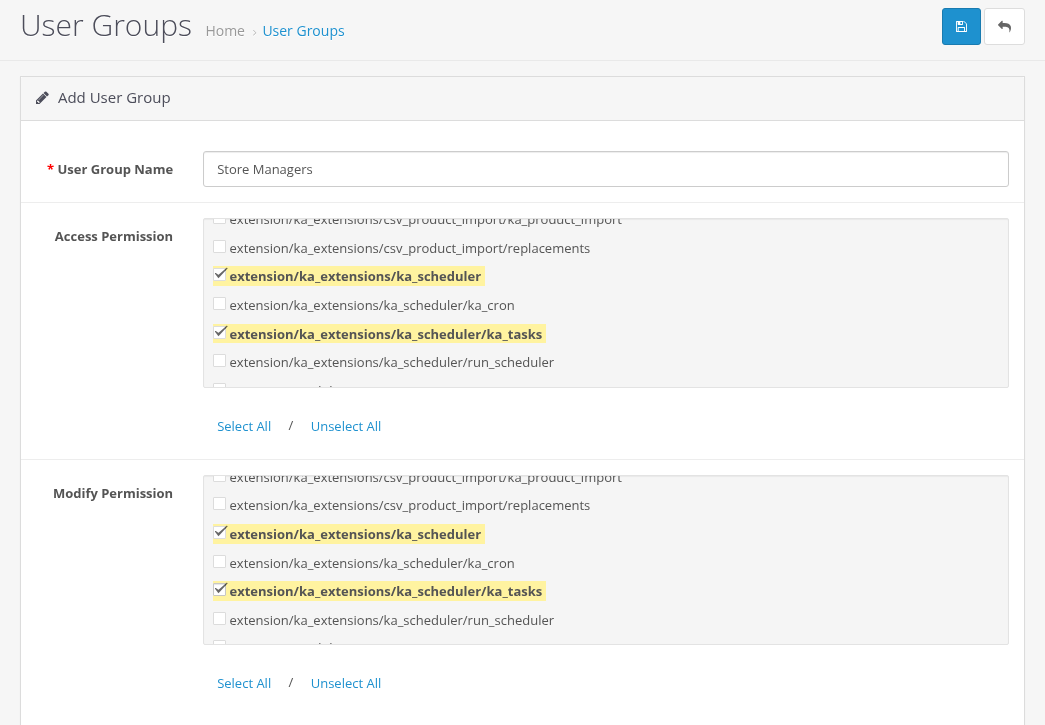
Access and modify permissions for Task Scheduler
The run key
The scheduler URL can be called without logging in, so the key in the URL is the only protection.
- A new installation gets a random 32-character key. Keys from older versions are kept after an upgrade. If your key is short, replace it with a long random value and update your cron jobs (or click Re-install for the automatic cron job).
- Do not publish the URL with the key. It is shown on the settings page and stored in the crontab or in the external cron service.
- Anyone who knows the key can start the scheduler. They cannot choose what it does: it runs only the tasks you created.
Running without the key
- Command line.
ka_cron.phpworks only from the command line, so it needs no key. Only users with access to the server can run it. - Logged-in users. A user logged in to the admin can run the scheduler without the key (Manual Start: Go, Run) only with access permission to the module settings (
extension/ka_extensions/ka_scheduler). Other users get "Warning: You do not have permission to run the Task Scheduler."