

Cost Price and Profit (Opencart 3)
- Vendor: Karapuz Team
See how much of each sale remains after product costs and the order expenses you choose to track. Cost Price and Profit adds cost fields and practical profit reports to the OpenCart administration panel, helping you compare products, review orders and make better-informed pricing decisions.
Key Features
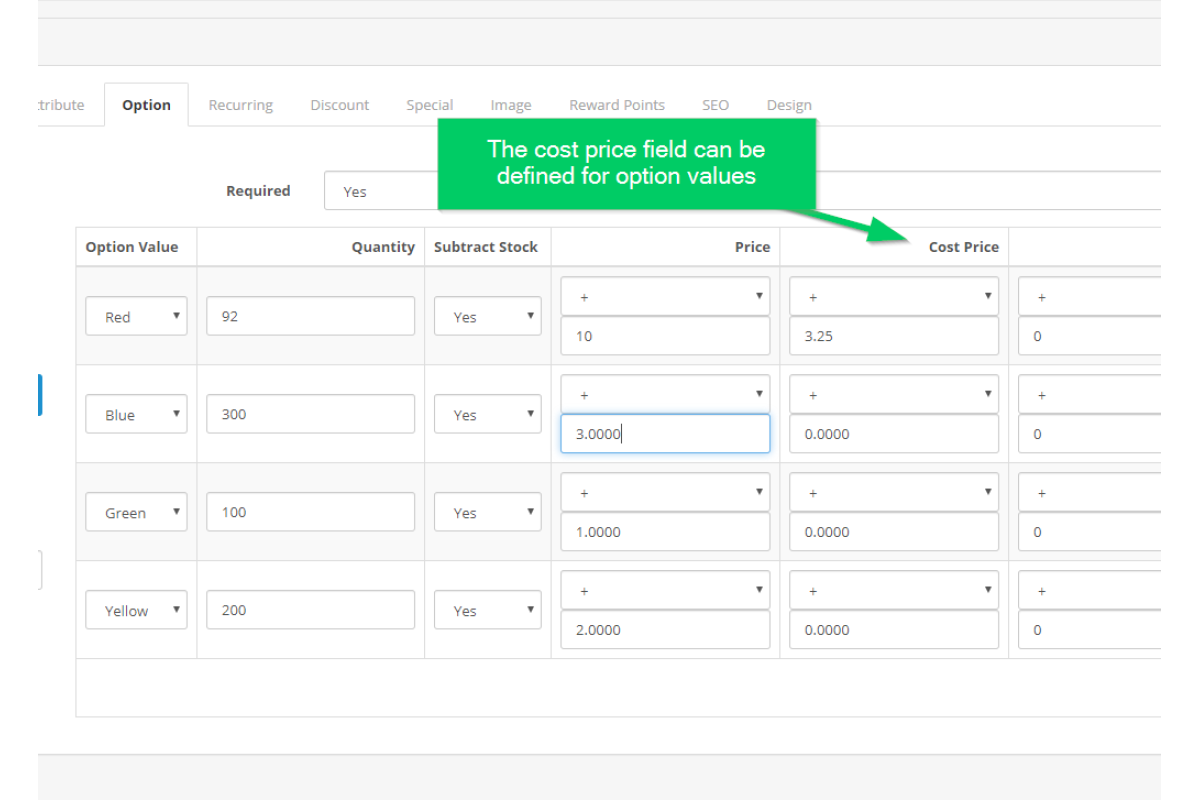
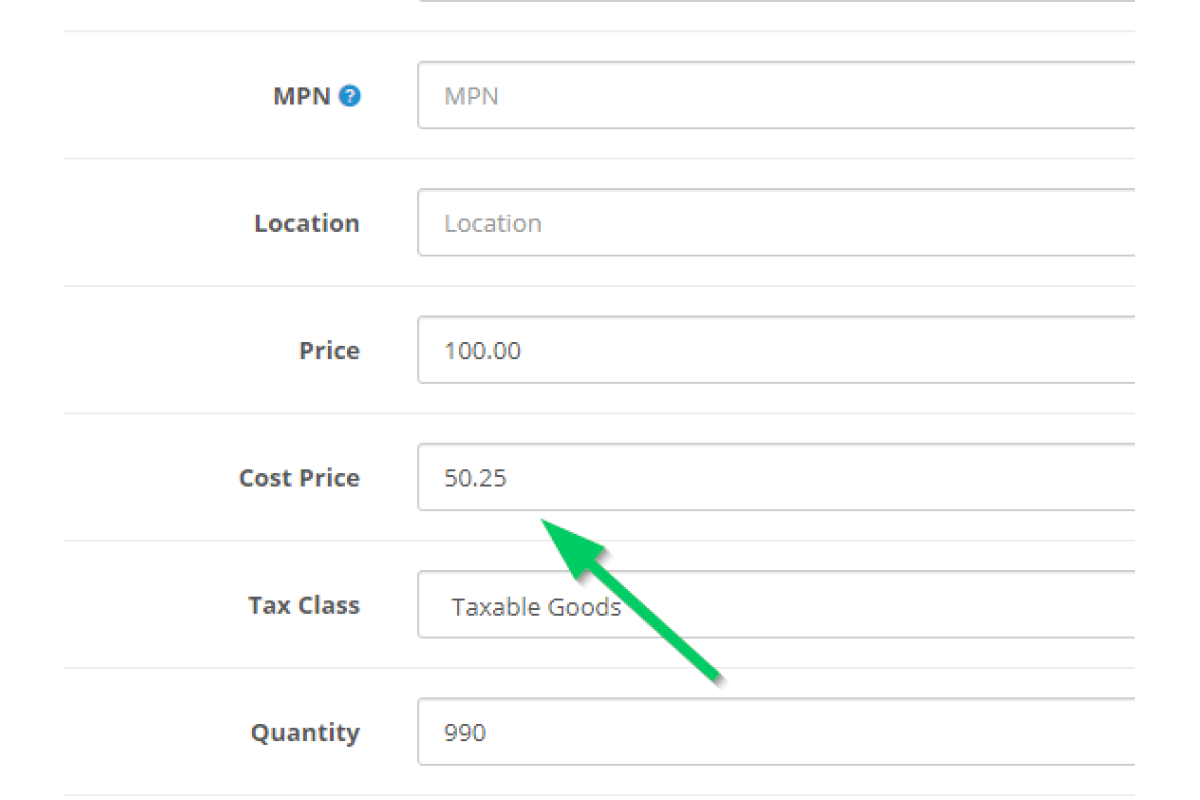
- Product and option costs: enter a cost price for each product and add or subtract costs for its option values.
- Order cost snapshots: product and selected option costs are copied into order lines when an order is created.
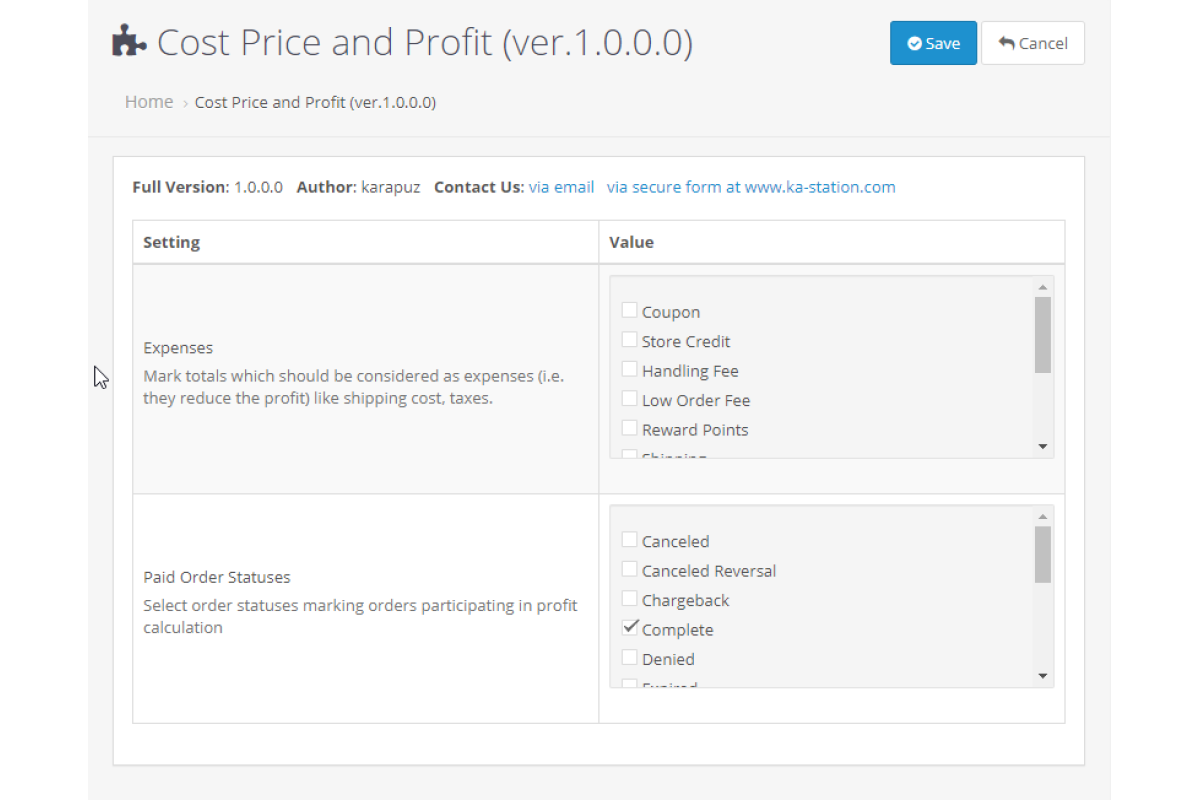
- Order expenses: track shipping, payment and additional expenses. Choose which order totals feed shipping, payment and the first extra-expense category, and adjust expenses from the admin order list.
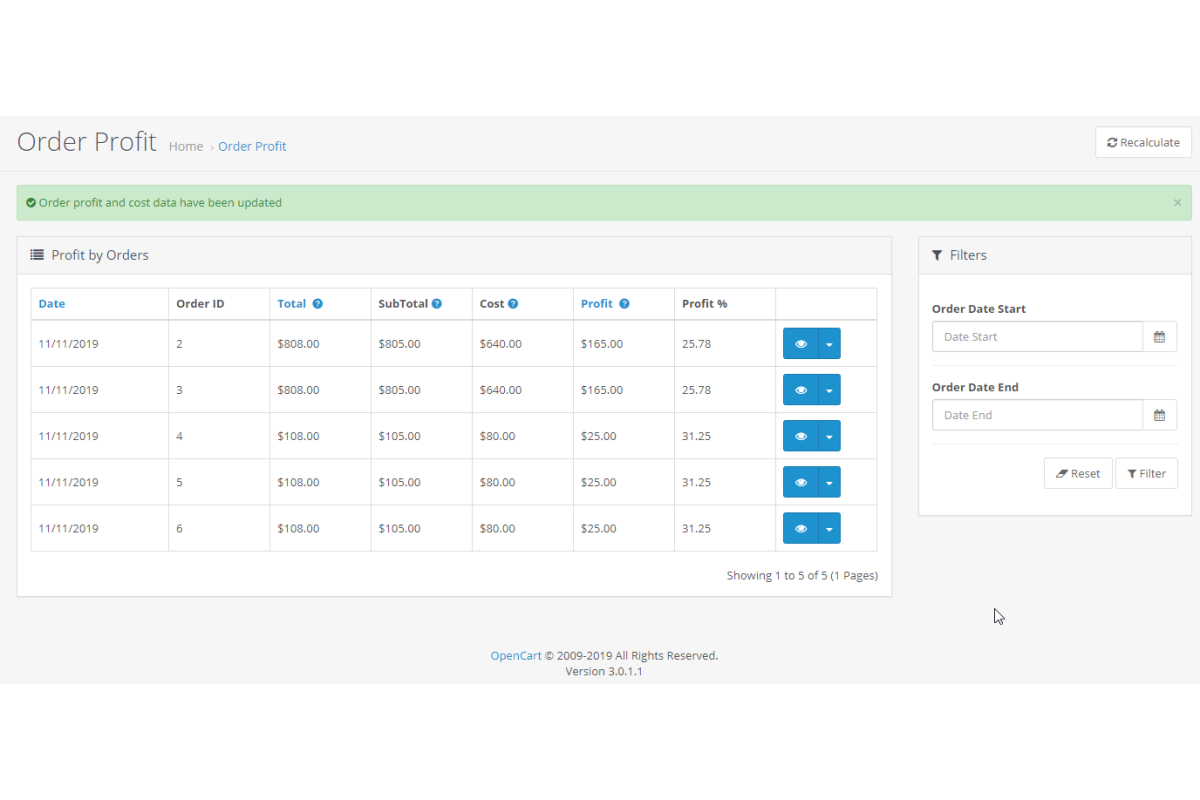
- Order profit report: review saved revenue, costs and profit for a date or order-number range, using the order statuses selected in the settings.
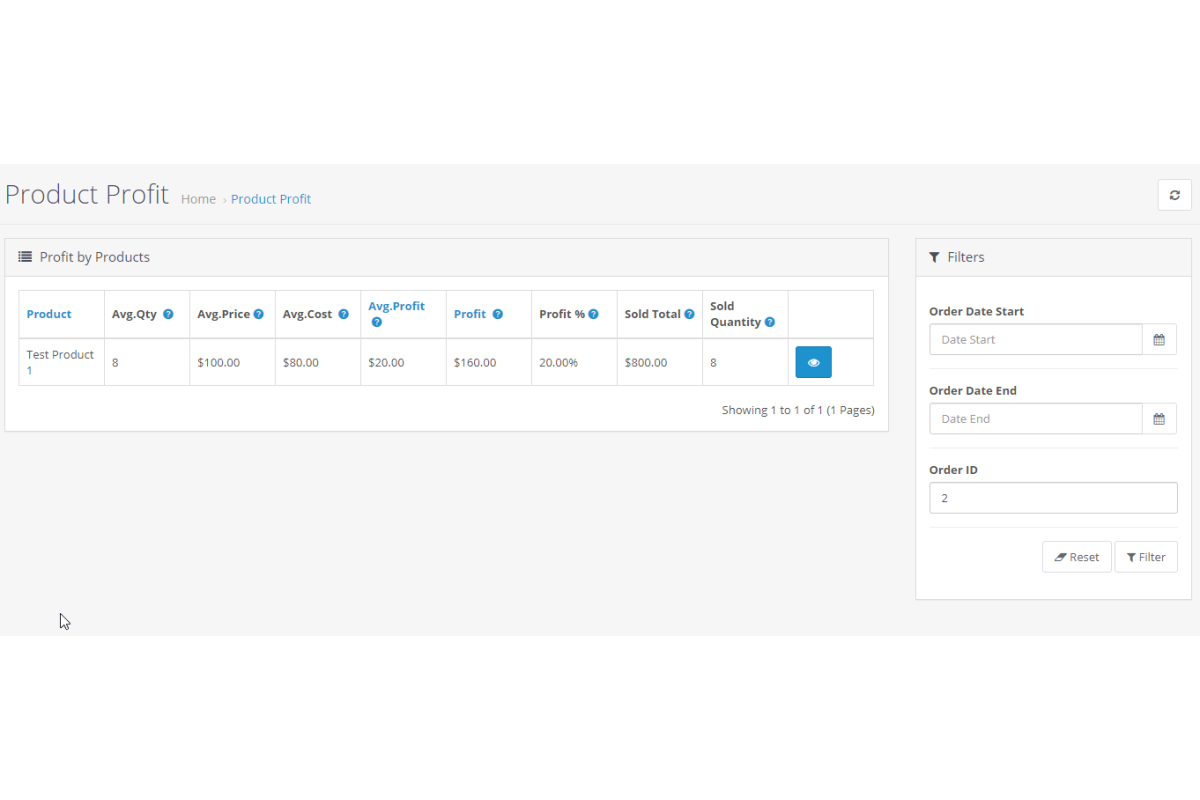
- Product profit report: compare sold quantities, revenue, costs and profit by product over a selected period, or inspect a specific order.
- Flexible presentation: choose cost columns on the order list and whether to show fractional cost and profit values. Losses can remain negative rather than being hidden.
How the figures are calculated
Reports use the amounts saved by OpenCart in the store's base currency. The order report uses the saved order total, including the taxes, discounts and shipping already included by OpenCart, and subtracts the product costs and recorded order expenses. The product report uses saved product-line totals; it does not allocate order-level shipping or payment expenses across products. These are operational profitability reports, not a replacement for accounting or tax reporting.
Historical costs and recalculation
Changing a product's current cost does not automatically rewrite existing order snapshots. However, re-saving an order through OpenCart rebuilds its product lines and refreshes their costs from the current catalog. The explicit Recalculate action refreshes costs for all orders using current product costs and replaces historical snapshots. It requires confirmation; back up your data before using it.
What's New in 1.0.3.0
- Permission checks for cost editing and POST-only, confirmed bulk recalculation.
- Strict decimal validation and exact expense totals, with overflow rejected before expense changes are saved.
- Correct handling of base-currency order revenue and expenses without repeated currency conversion.
- Correct distinct-product counts and compatibility with strict SQL grouping in the product report.
- Updated Ka Extensions APIs, separate JavaScript classes, and English/Russian interface translations.
- Behavioral and browser regression tests covering the main admin and order-cost flows.
Requirements
OpenCart 3.0.0.0–3.0.5.x and the free Ka Extensions library 4.1.1.33 or newer. This release was tested on a clean OpenCart 3.0.5.1 store.
Demo
Admin Panel:
http://demo3012.ka-station.com/admin/
Login credentials:
- Username: demo
- Password: demo
Comes With

Free Installation Service *

Lifetime Bug Fixes *

One-time purchase *
Have a question about this product?
No questions yet
| File | Date Added | Download |
|---|---|---|
|
ka_cost_price_ver1.0.3.0.ocmod.zip
File size: 47 Kb Opencart Version: 3.0.0.0, 3.0.1.0, 3.0.1.1, 3.0.1.2, 3.0.1.3, 3.0.2.0, 3.0.2.1, 3.0.3.0, 3.0.3.1, 3.0.3.2, 3.0.3.3, 3.0.3.5, 3.0.3.6, 3.0.3.7, 3.0.3.8, 3.0.3.9, 3.0.4.0, 3.0.4.1, 3.0.5.0 |
07/11/2026 |
Available after purchase
Log in |